Canvases/CV-01
Education Canvas
A teacher's notes, kept on the teacher's machine.
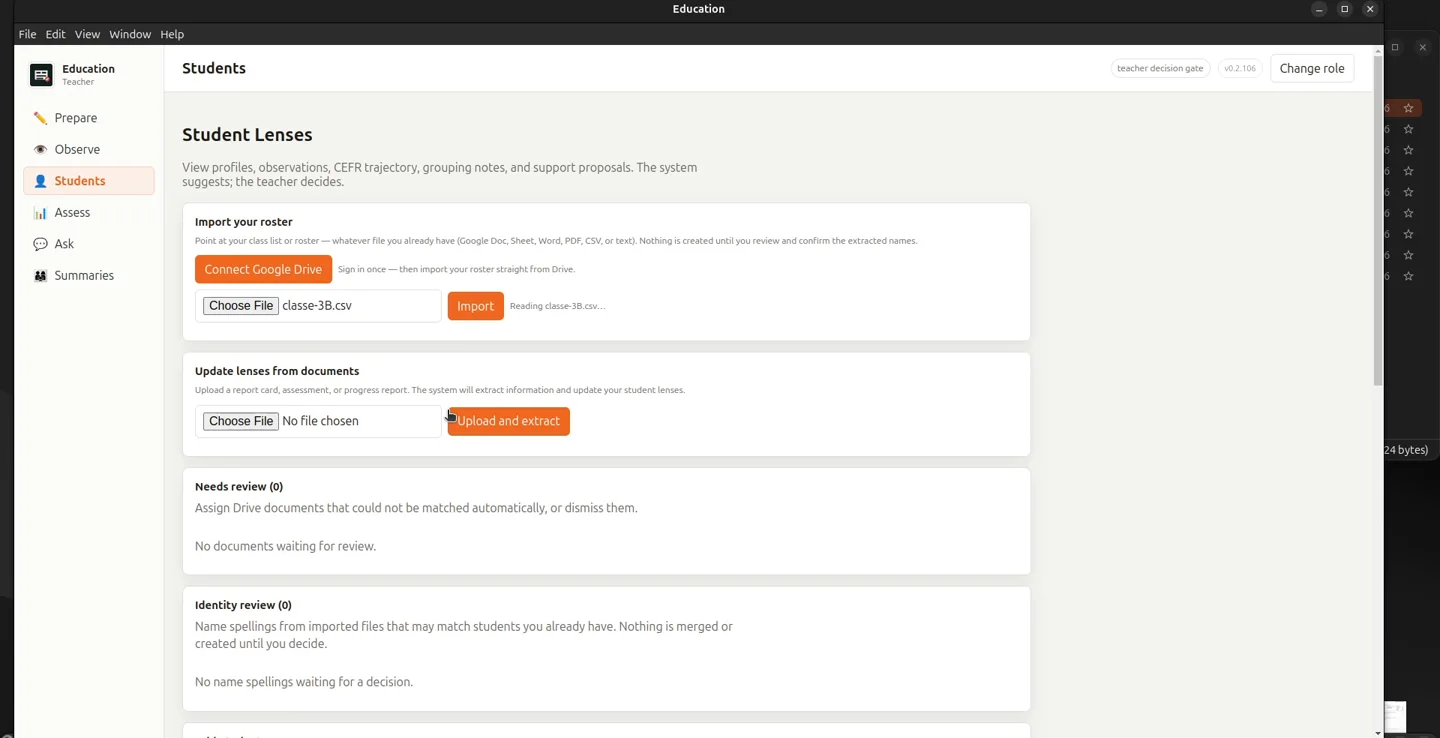
Roster in, observations captured by voice or typing, student lenses updated from the report cards a school already has, and lesson activities in three tiers. It runs on the teacher's own computer, and student data does not leave it.
- Version
- 0.2.106
- Runs on
- Mac · Windows · Linux
- Model
- Local, on the teacher's machine
- Languages assessed
- Italian · English
A classroom already produces its evidence: the roster, the report cards, what the teacher noticed today. This canvas keeps that evidence in one place, on the teacher's computer, and leaves the judgement to the teacher.
- 01
Language-immersion classrooms
Where this canvas was born: Italian and English today, CEFR levels A1 to C2 on every observation, accented names kept intact on import.
- 02
Teachers who dictate
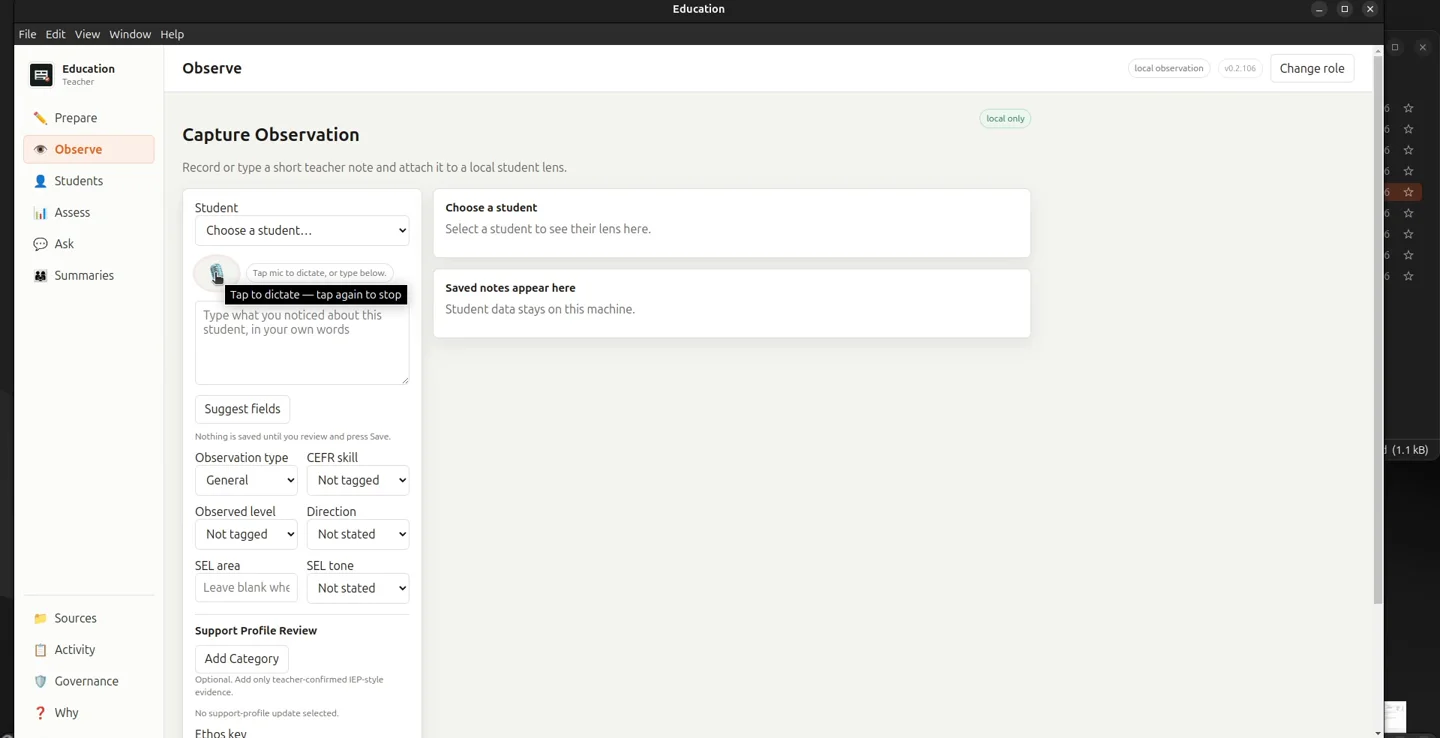
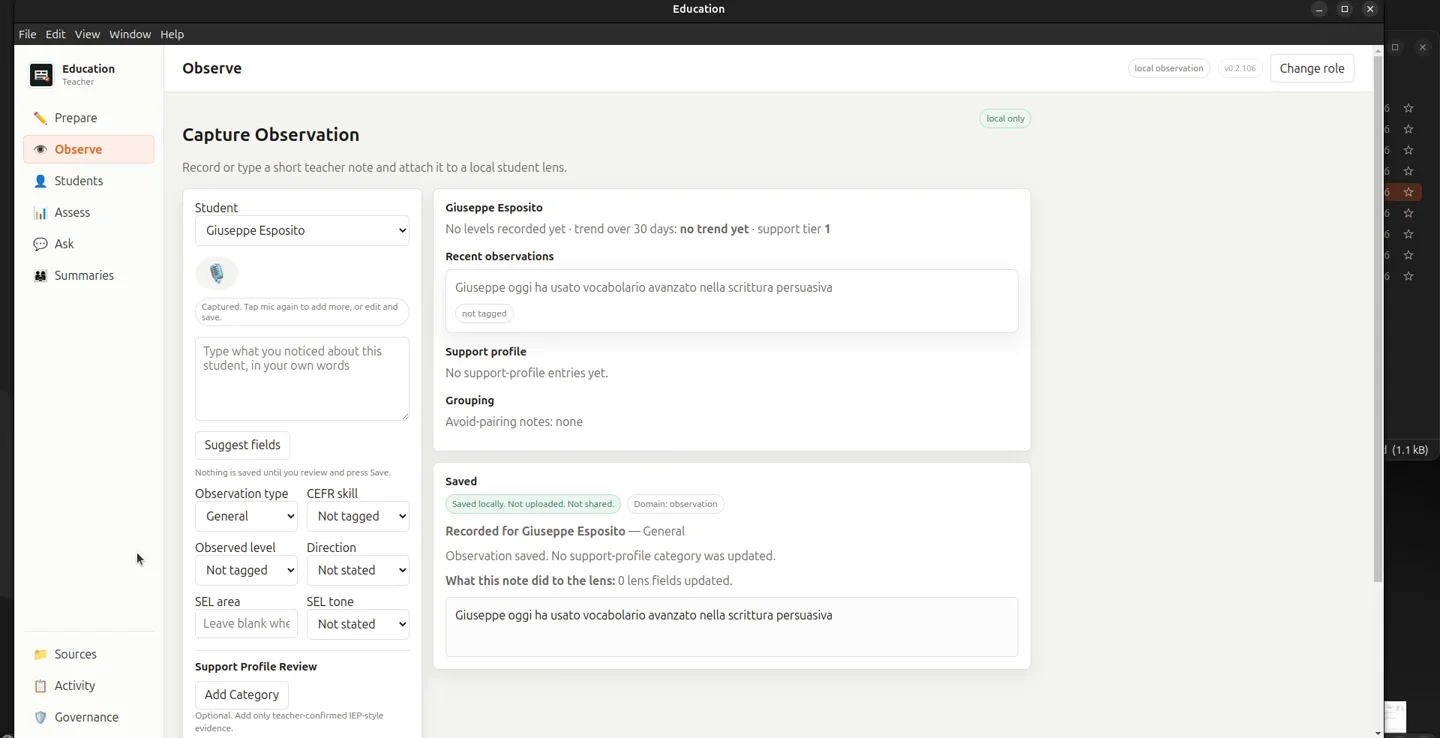
Hold the mic and say what you noticed. Speech is turned into text on the machine; the AI suggests the fields and saves nothing until the teacher presses Save.
- 03
Schools that cannot send student data out
No account, no upload. Each student is referred to by a code outside the app, and a privacy page counts what was processed locally and what was not.
- 04
Programme coordinators
A second role with its own views: who has been observed and in what, support tiers across the school, and honest "not enough data" states until there is.
A working platform, not a slide.
This canvas is software that already runs. What you see here is the starting point we customise, not a concept to be built from zero.
Everything this canvas already does.
The inventory below is what ships before we change a line. It is a floor, not a ceiling: the features your company needs are defined in the audit and built on top.
-
M-01 Students
A lens per student, built from what the school already writes down.
- Roster import from a local file (spreadsheet, document, PDF, CSV, text) or Google Drive
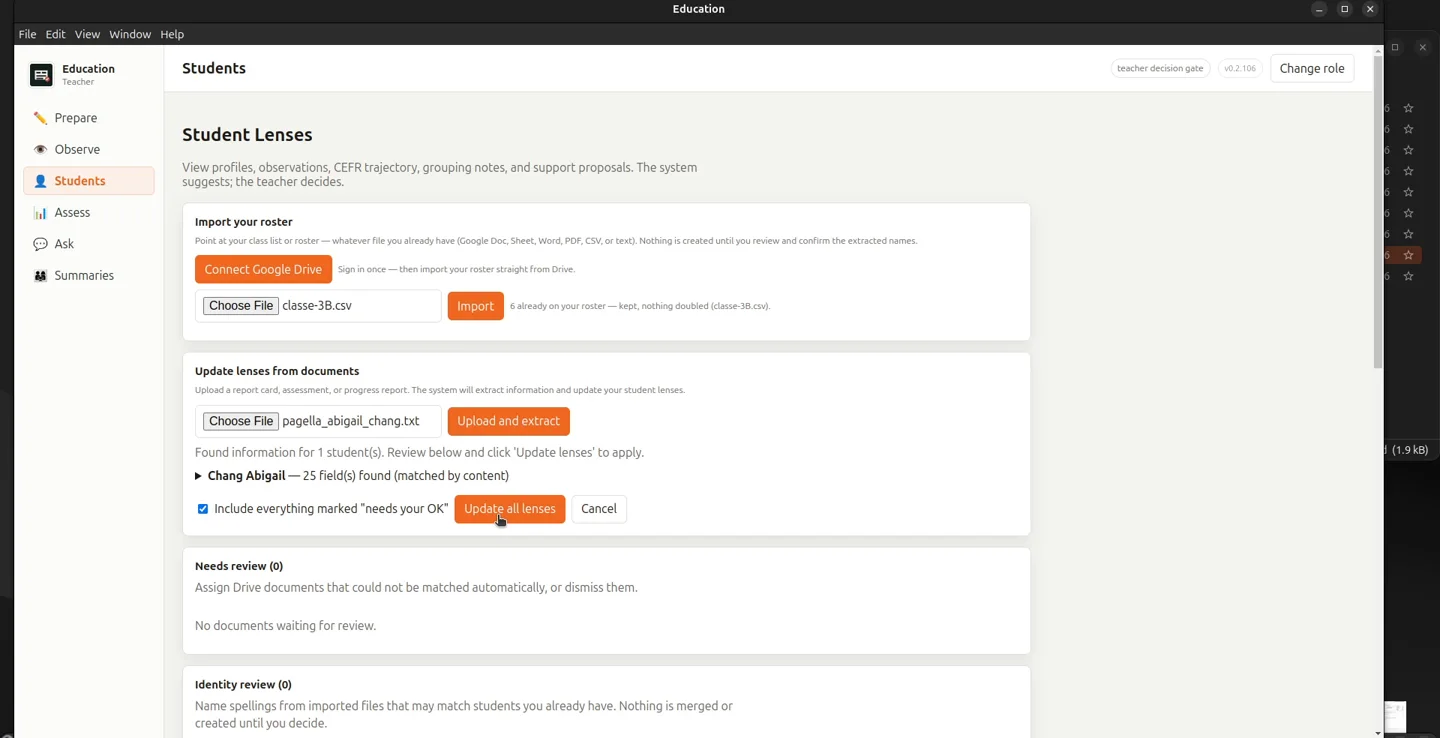
- Extracted names shown for review before anything is created
- Report cards, assessments and progress reports update the lens
- Identity review for name spellings that may match an existing student
- CEFR trajectory over 30 days and support tier on every row
- Students are archived, never hard-deleted
-
M-02 Observe
A short note, attached to the right child, in under a minute.
- Dictate on the machine or type
- "Suggest fields" pre-fills; nothing is saved until the teacher saves
- Types: general, CEFR skill, literacy, social-emotional, support flag
- CEFR skill, level A1 to C2 and direction
- Support profile review across nine categories
- Urgent follow-up flag that the teacher must affirm
-
M-03 Assess
Language work reviewed, not graded by a machine.
- Recording, photo or document in; oral samples up to four minutes
- Transcribed on the machine
- Italian, English or auto-detect
- The teacher confirms the text against the original before anything is suggested
- Assigns no grade and no CEFR level: findings only
- Rubric templates
-
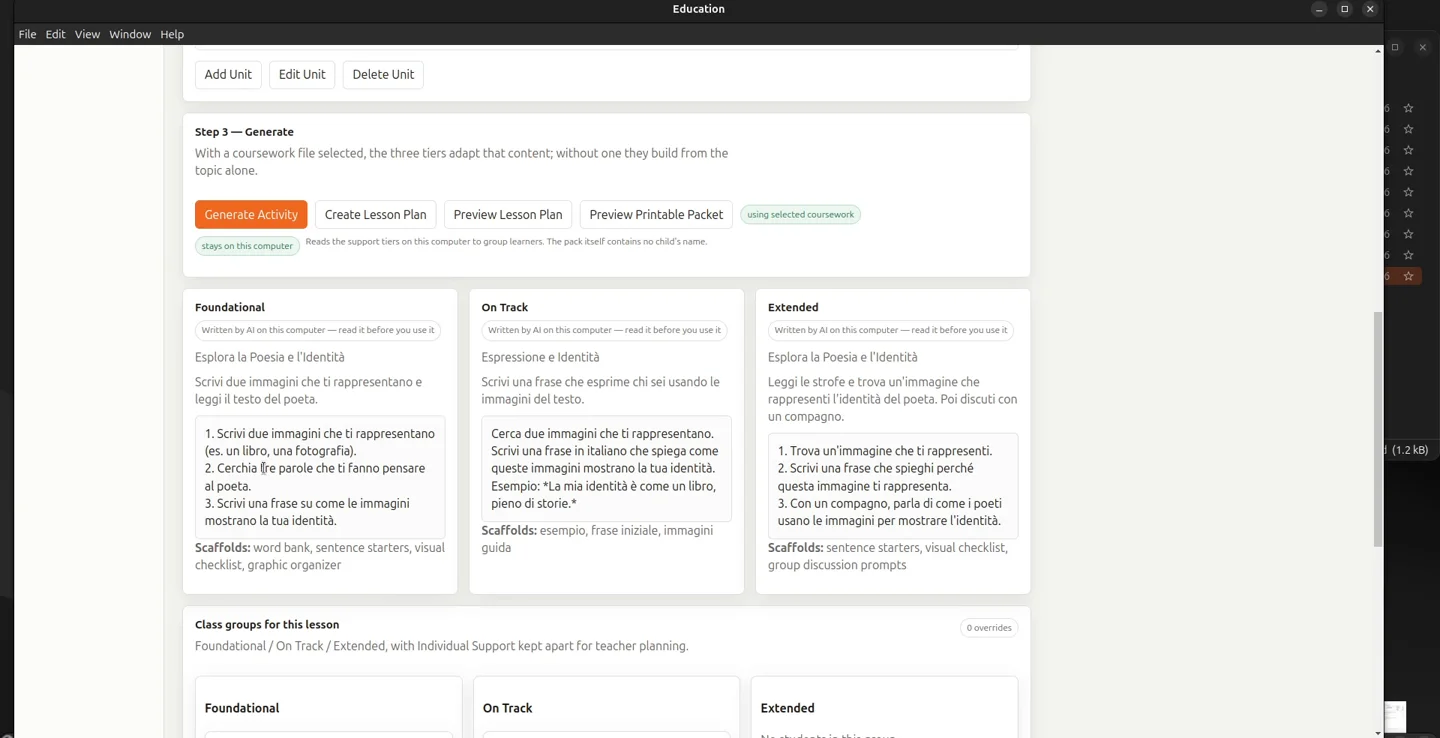
M-04 Prepare and Plan
Lessons from the coursework the teacher already has.
- Drop a lesson file or point at a folder, local or Drive
- One activity in three tiers, with per-student tier override
- Curriculum navigator by grade band with CEFR targets per unit
- "Plan from this unit" hands off to Prepare
- Source documents are read, never changed
-
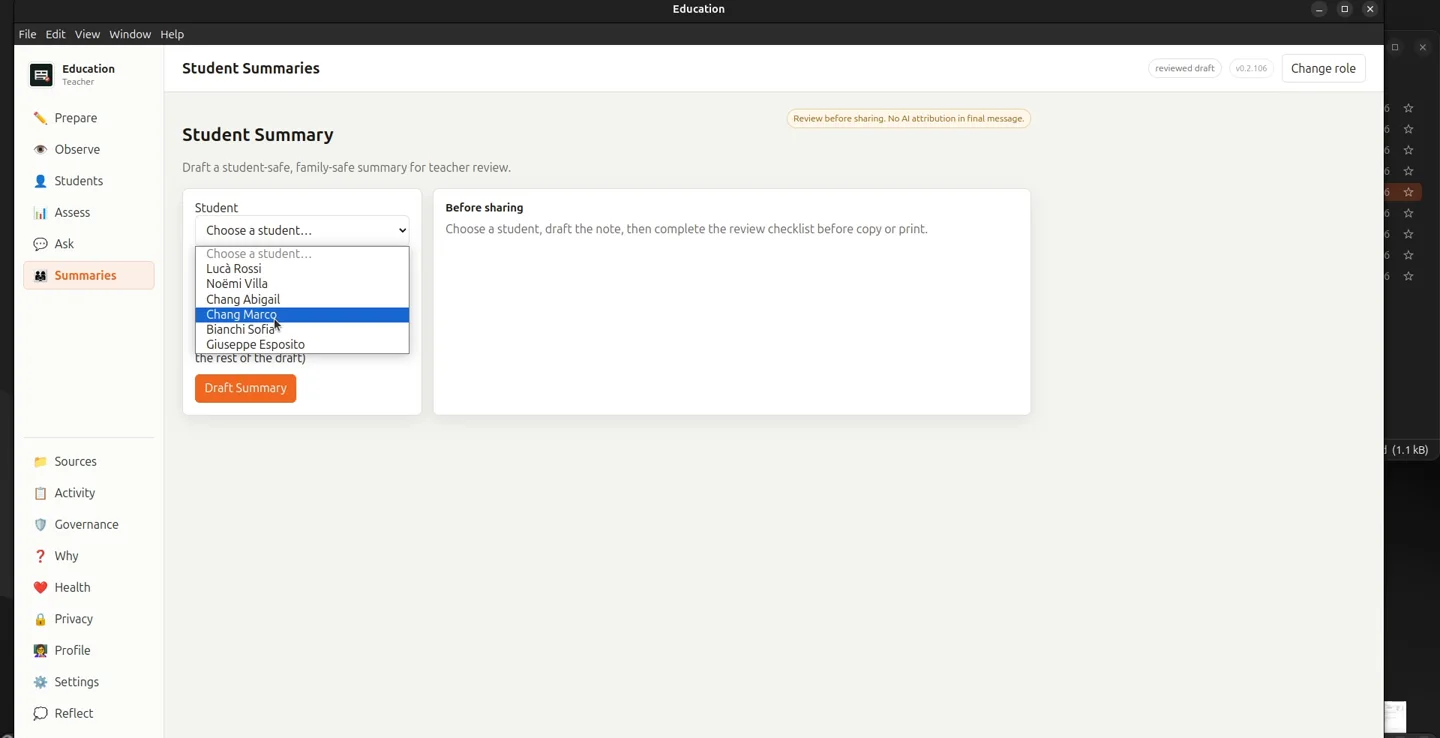
M-05 Summaries
What goes home is checked before it goes.
- Family-safe draft per student with a focus field
- Confirmed evidence only, by choice
- Publication-safety warnings above the draft
- Blocked until every sentence resolves to an observation or lens entry
- No AI attribution in the final message
-
M-06 Ask
Questions answered on the machine, and it says so.
- General teaching questions
- A question naming a student is answered from that student's lens, not sent out
- The route badge states whether outside research is configured at all
- "Why" opens the reasoning trace: route, sources, model, timing
-
M-07 Governance and privacy
The verdict is computed from the log, not asserted.
- Counters for what ran locally, what was blocked, what went out
- Data protection log with event types and hashes, no names
- Students referred to outside the app by a stable local code
- Safeguarding tiers; the highest never enters the lens, the brief or a parent message
- Sealed observation export per student
- Export my data; clear all data
-
M-08 Coordinator views
The school, seen across classrooms.
- Lens queries answered from local records
- Programme matrix, evidence coverage, support-tier capacity
- Weekly recording trends with explicit "not enough data" states
- Knowledge-library browser
We add what only your company needs.
Our AI-first team maps your processes, finds what the canvas does not cover yet, and builds it as new modules, configured and delivered together with the rest.
- Custom+ Your report-card format
- Custom+ Your curriculum, imported
- Custom+ Your module
Structured enough for agents to be trusted.
Agents fail on ambiguity. A canvas removes it: typed data, explicit rules and a record of everything that happened, connected to the rest of your company.
-
Suggests, the teacher decides
The AI pre-fills fields, proposes tiers and drafts summaries. Every one of those waits for a person, and the app says so on the screen where it waits.
-
Answers from the record, not the internet
A question about a child is answered from that child's lens on the machine. Whether outside research is even configured is stated on the answer.
-
Every answer shows its route
Which node classified the question, which sources were used, which model ran and how long it took. The question text itself is not stored.