Canvases/CV-02
Logistics Canvas
Every order, its stage, and who is waiting on it.
Orders imported from the spreadsheets you already keep, tracked through fourteen stages from quote to closed, checked overnight, and a question box that answers from the record and refuses what it cannot ground. Customer identity and pricing never leave the machine.
- Version
- 0.1.9
- Stages
- 14, quote to closed
- Imports
- CSV · XLSX · Monday.com · HubSpot
- Model
- Local first; outside only where allowed
Cross-border hardware orders fail in the gaps between vendor, carrier and customs. This canvas keeps one record per order, watches it overnight, and tells you in the morning what moved and what did not.
- 01
Hardware and equipment distributors
Where this canvas was born: multi-vendor sourcing, cross-border freight and customs at both ends, delivered as one accountable counterparty.
- 02
Teams that run on spreadsheets
The order file you already keep is the import. Preview shows exactly what would change, nothing is written until you confirm, and every import can be undone.
- 03
Operations that start the day with a list
The overnight batch computes the numbers, flags stale and blocked orders, finds the bottleneck stage and the promises at risk. The morning screen shows when it ran.
- 04
Sales that owes customers an update
A customer-safe update is drafted from the record and waits for a person. The backend can refuse to draft one it cannot support.
A working platform, not a slide.
This canvas is software that already runs. What you see here is the starting point we customise, not a concept to be built from zero.
Everything this canvas already does.
The inventory below is what ships before we change a line. It is a floor, not a ceiling: the features your company needs are defined in the audit and built on top.
-
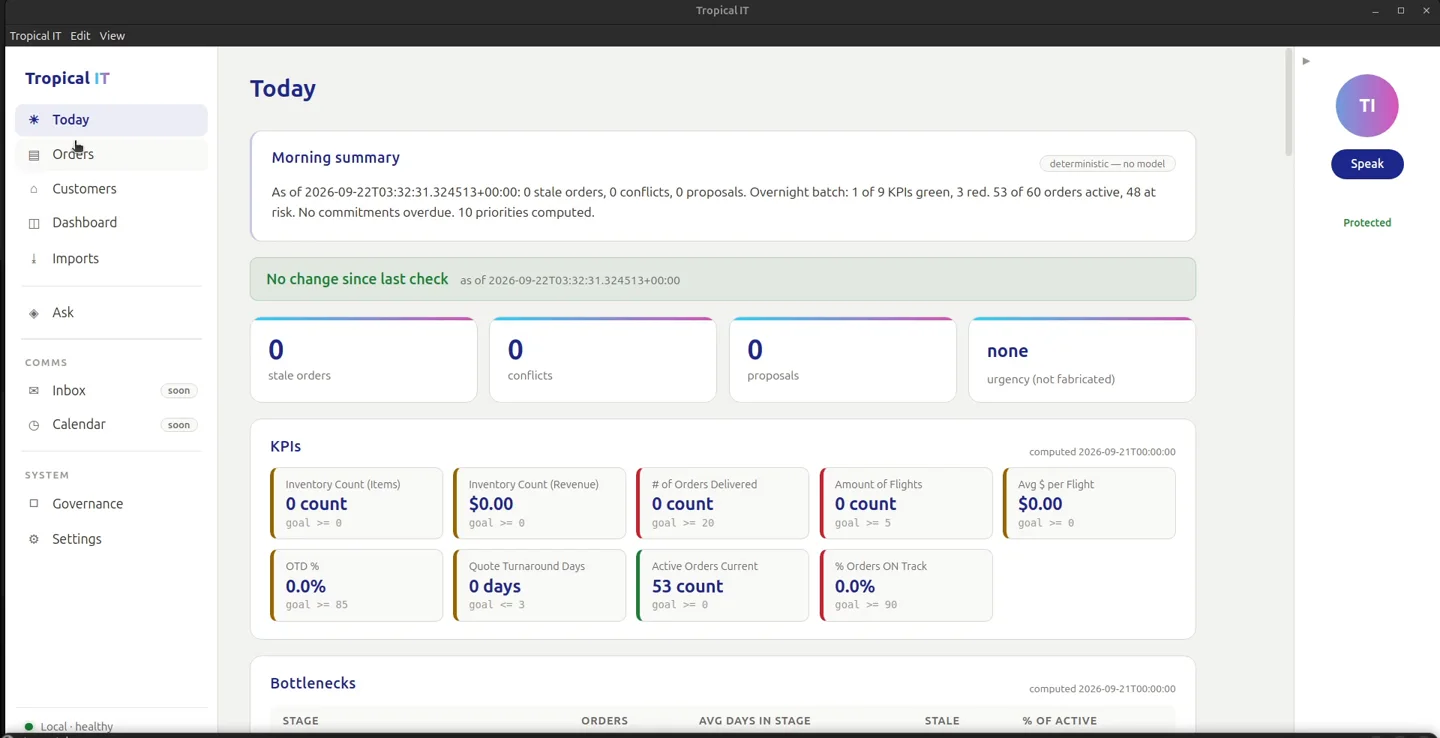
M-01 Today
The control tower, computed overnight.
- KPI chips stamped with when the batch computed them
- Stale and blocked orders, bottleneck stage, promise-date risk
- Morning summary and open commitments
- Ten-step overnight batch, including a stale-customer scan
-
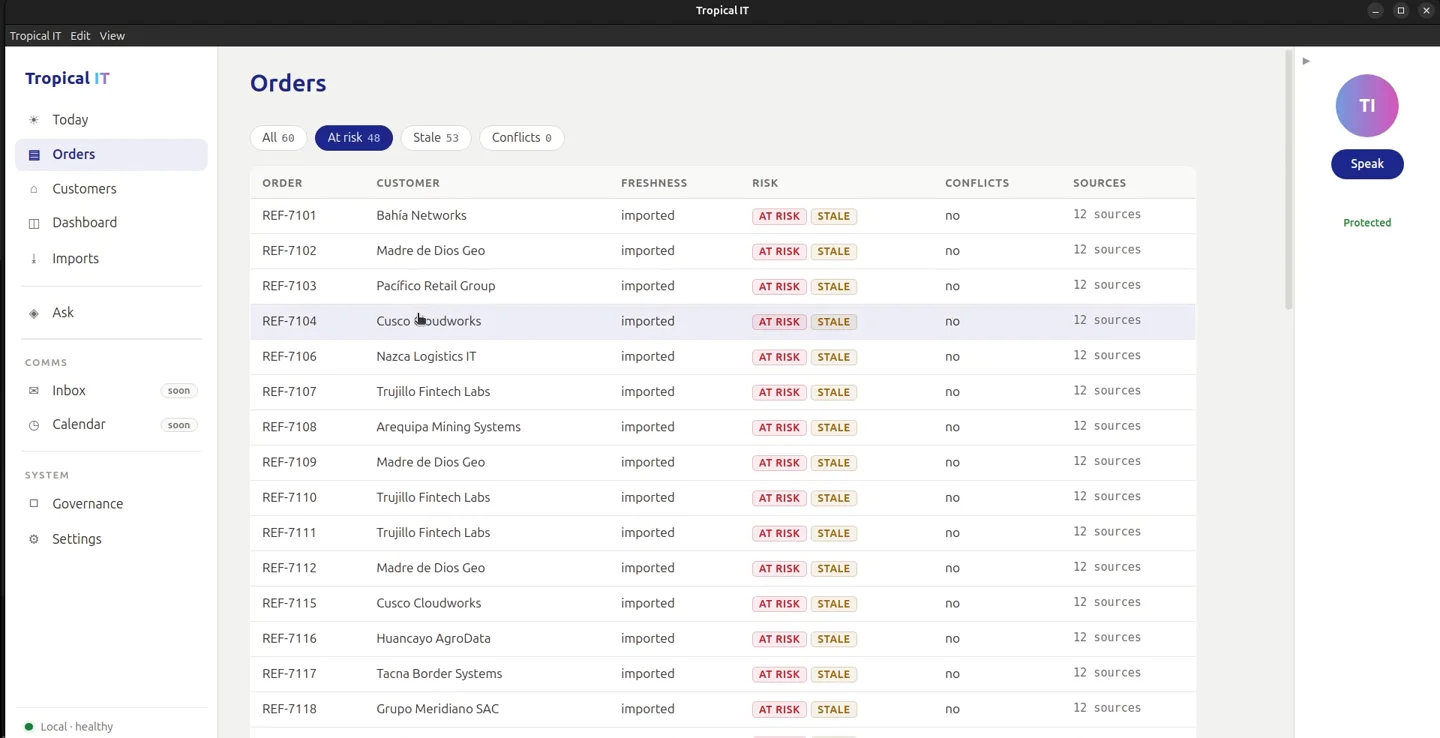
M-02 Orders
One record per order, from quote to closed.
- Fourteen lifecycle stages: quote, purchase order, vendor confirmation, logistics booking, customs at origin, in transit, customs at destination, last mile, delivered, invoice, closed
- Filters: all, at risk, stale, conflicts, with counts
- Order detail: fields, timeline, proposals
- Freshness on every row
- Customer update drafted on request, refused when unsupported
-
M-03 Customers
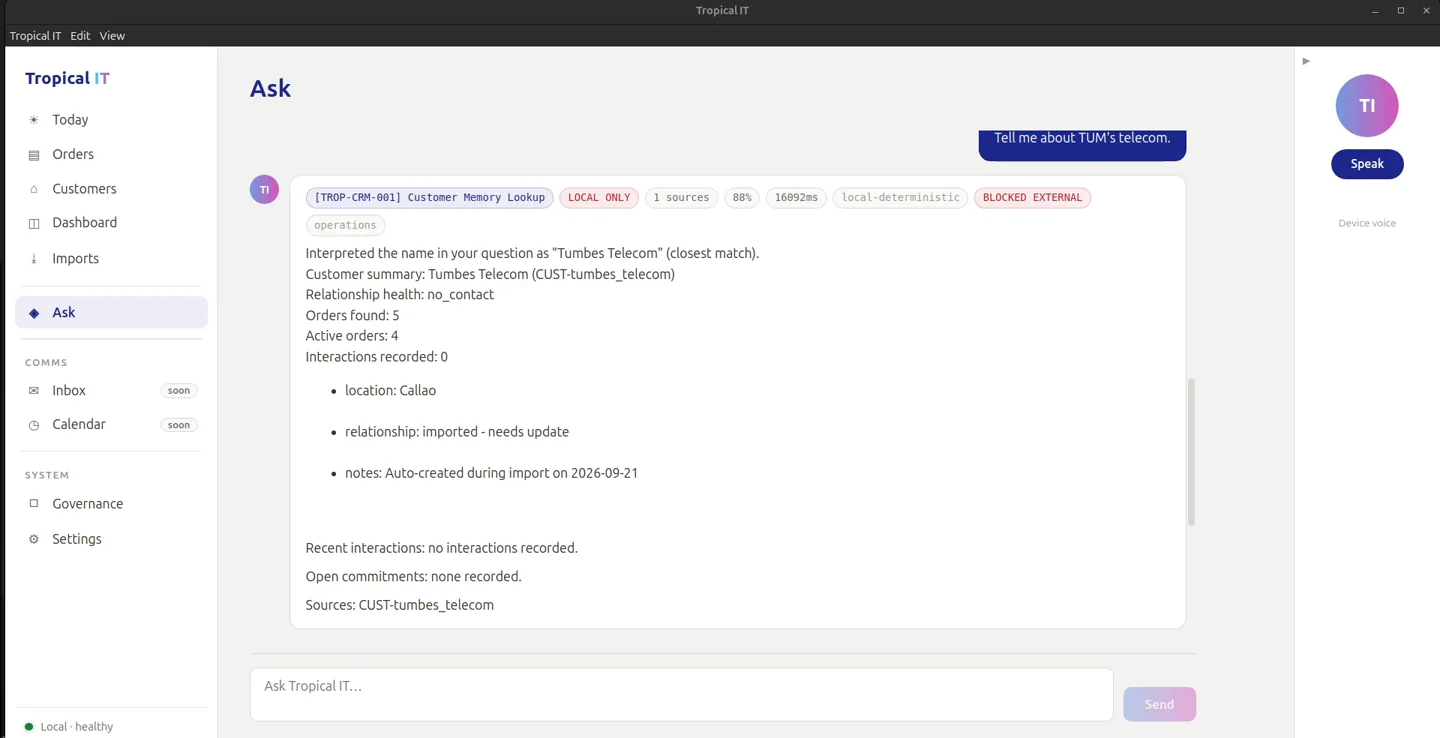
Local-only, by rule.
- Identity, pricing and commercial terms never route to an external model
- Near-miss name resolution for mangled or spoken names
- Customer dossier from the order record
-
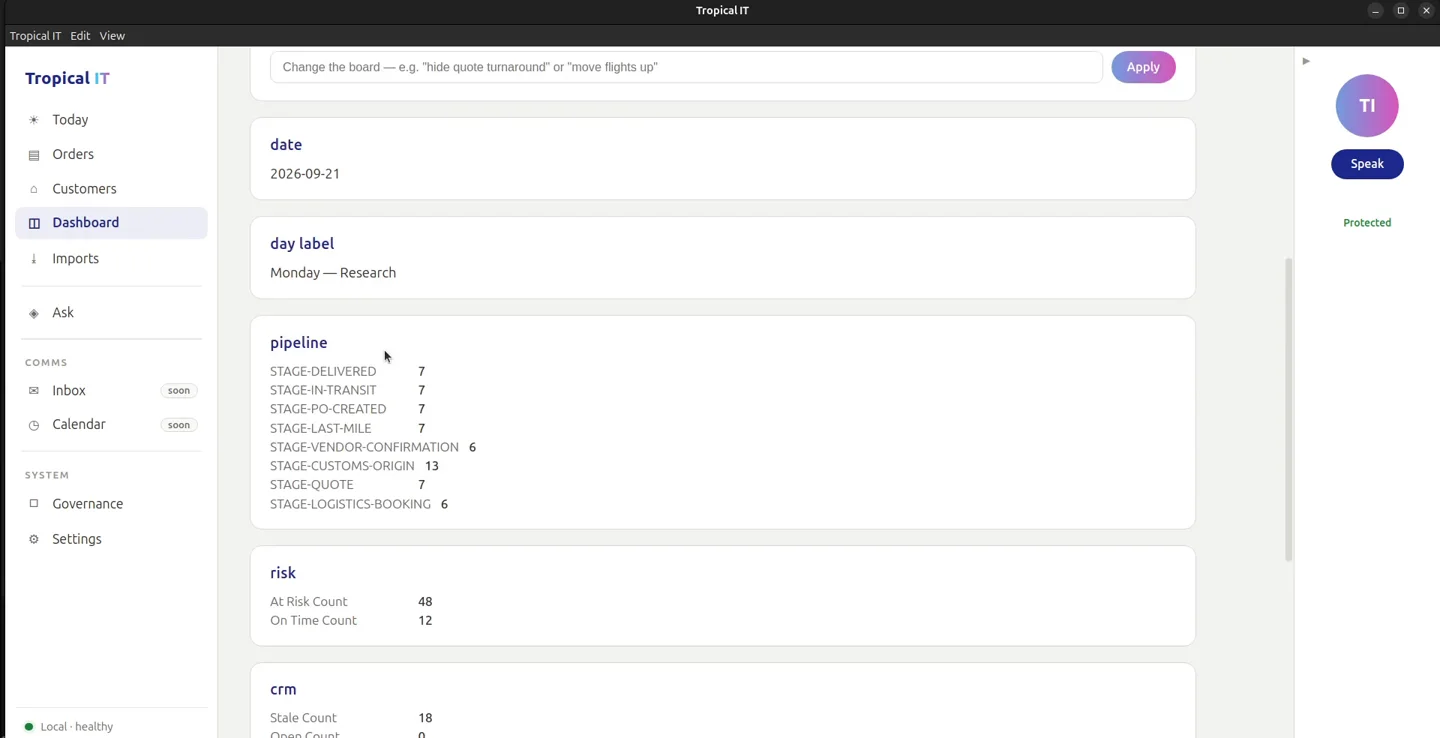
M-04 Dashboard
A weekly scorecard the operator can reshape.
- Hide, show, move and rename metrics by typed phrase
- Deterministic: nothing is guessed from the phrase
- Untracked cells marked as untracked, not zero
- Layout saved to a file you can read
-
M-05 Imports
Preview writes nothing.
- CSV and XLSX order files
- Fuzzy column and status mapping; customers created as needed
- Preview shows exactly what an import would do, then confirm
- Undo manifest per import
- Vendor documents turned into order updates
- Monday.com and HubSpot pulls
-
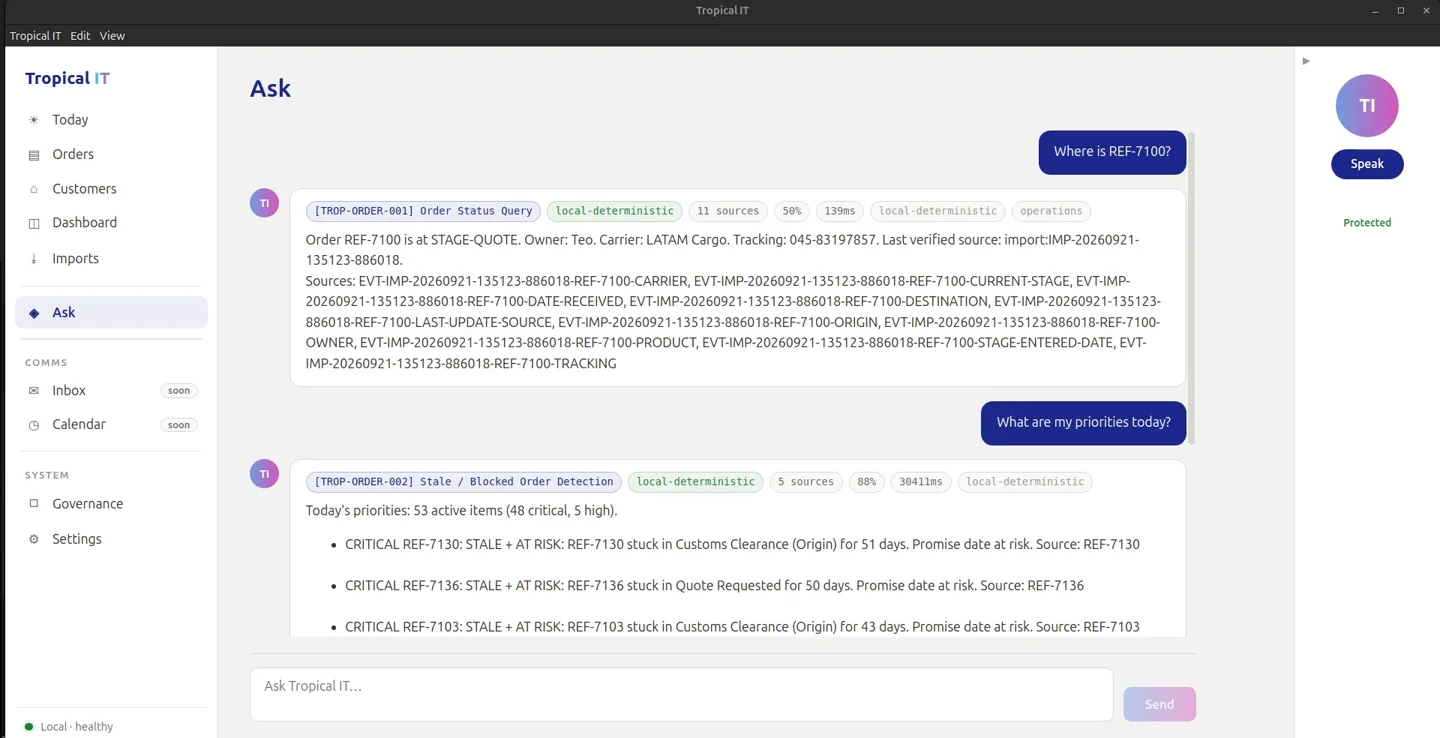
M-06 Ask
Classified before answered.
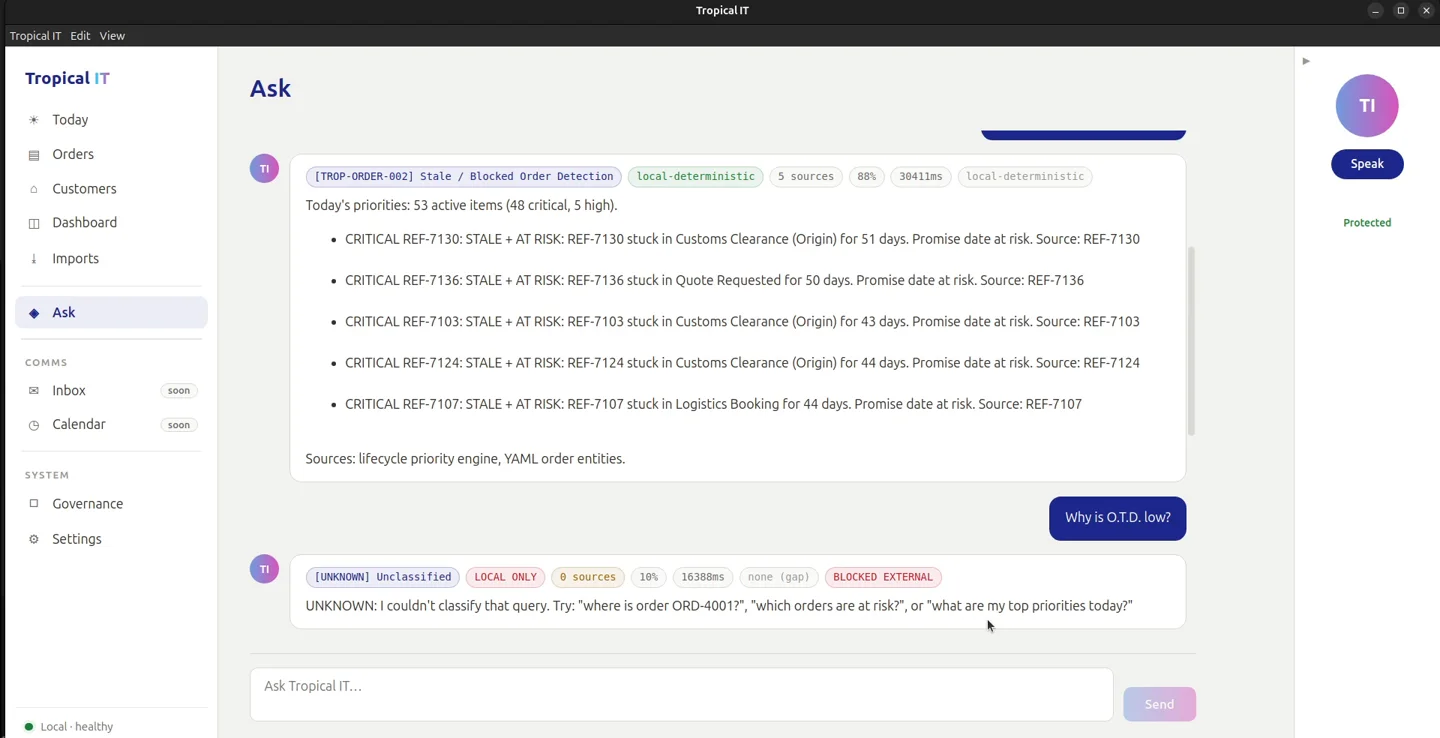
- Every question is sorted into one of 27 typed question nodes before any model sees it
- Answers stream as results arrive
- Sources listed under each answer
- Governance chips per answer: node, local or external, source count, confidence, time
- Threads: "their late orders", "draft for that one"
- Money and supplier-cost questions are refused with a reason
-
M-07 Governance and settings
Who answered, and from where.
- System health and the last query trace
- Model routing table for all 27 nodes; one node may reach outside
- Local model first, with a named fallback
- Optional second model behind your own key
-
M-08 Deliverables
Drafted from the record, approved by a person.
- Customer-safe and internal drafts
- Invoice, operations report, shipment tracker, promise-risk and customer dossier artifacts
- Optional push to the operator's own Drive folder
We add what only your company needs.
Our AI-first team maps your processes, finds what the canvas does not cover yet, and builds it as new modules, configured and delivered together with the rest.
- Custom+ Your carrier feeds
- Custom+ Your ERP connector
- Custom+ Your module
Structured enough for agents to be trusted.
Agents fail on ambiguity. A canvas removes it: typed data, explicit rules and a record of everything that happened, connected to the rest of your company.
-
Classified before answered
Every question is sorted into one of 27 typed nodes before a model reasons about it. The chip on the answer says which node, whether it stayed local, and how sure it is.
-
Refuses instead of guessing
An unclassifiable question gets "unknown" and three questions it can answer. Cost and margin questions are refused and kept on the machine.
-
Works overnight
A ten-step batch recomputes the numbers, finds what stalled and what is at risk, and stamps the morning screen with the time it ran.