Mission Canvas/Palette

It asks first. Then it shows its work.
A free app for your computer. Give it one folder. It lists what is there without opening a file, reads only what you allow, and builds a document from the facts you accept. Every line leads back to the sentence it came from.
Palette runs on a computer. Send yourself this page and open it there.
Free. No account. Version 0.3.10, released 23 September 2026. Mac is signed and notarised. Windows is not yet signed, so SmartScreen will warn you once: what to click, and how to check the file.
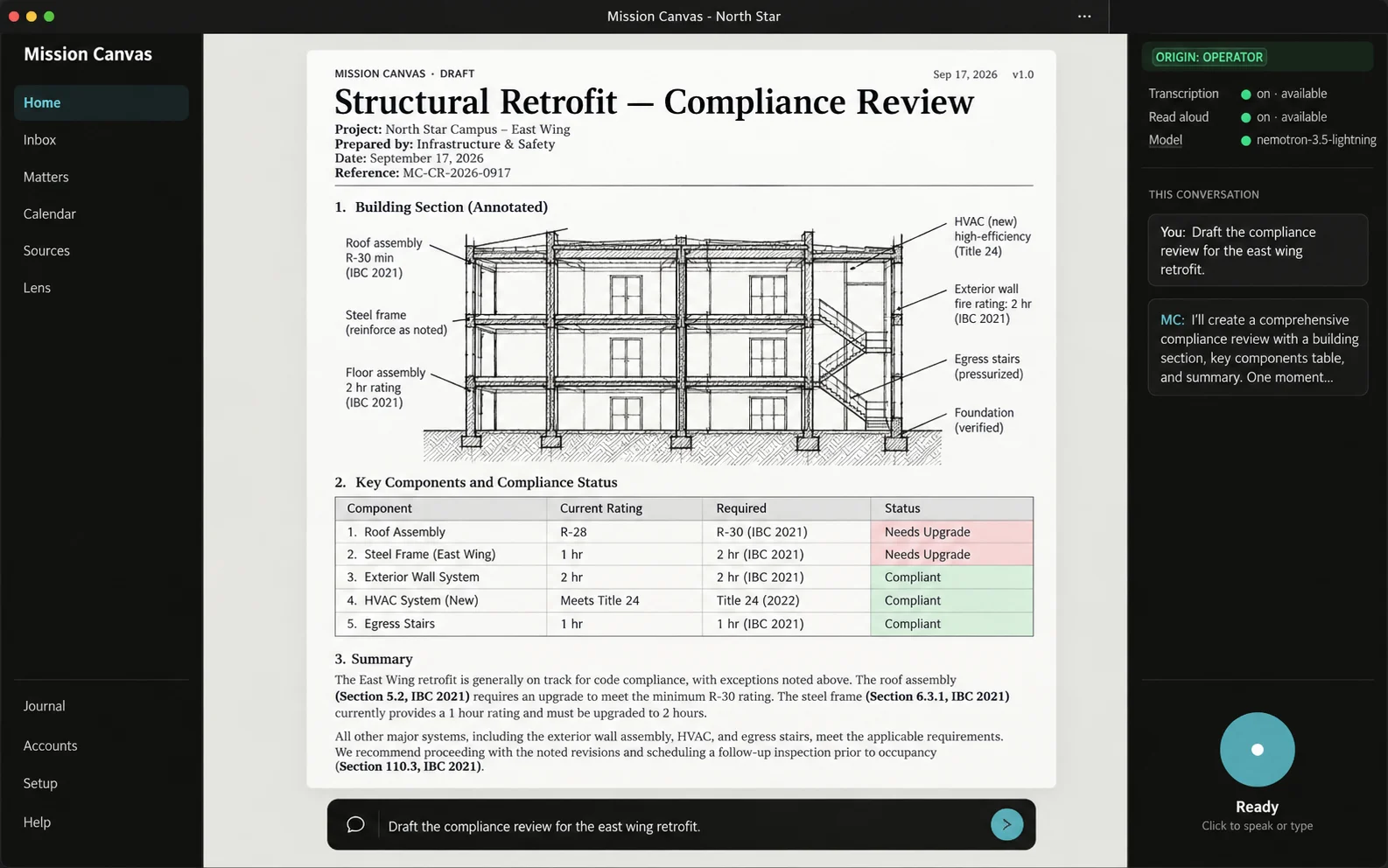
Ask, change, read it back.
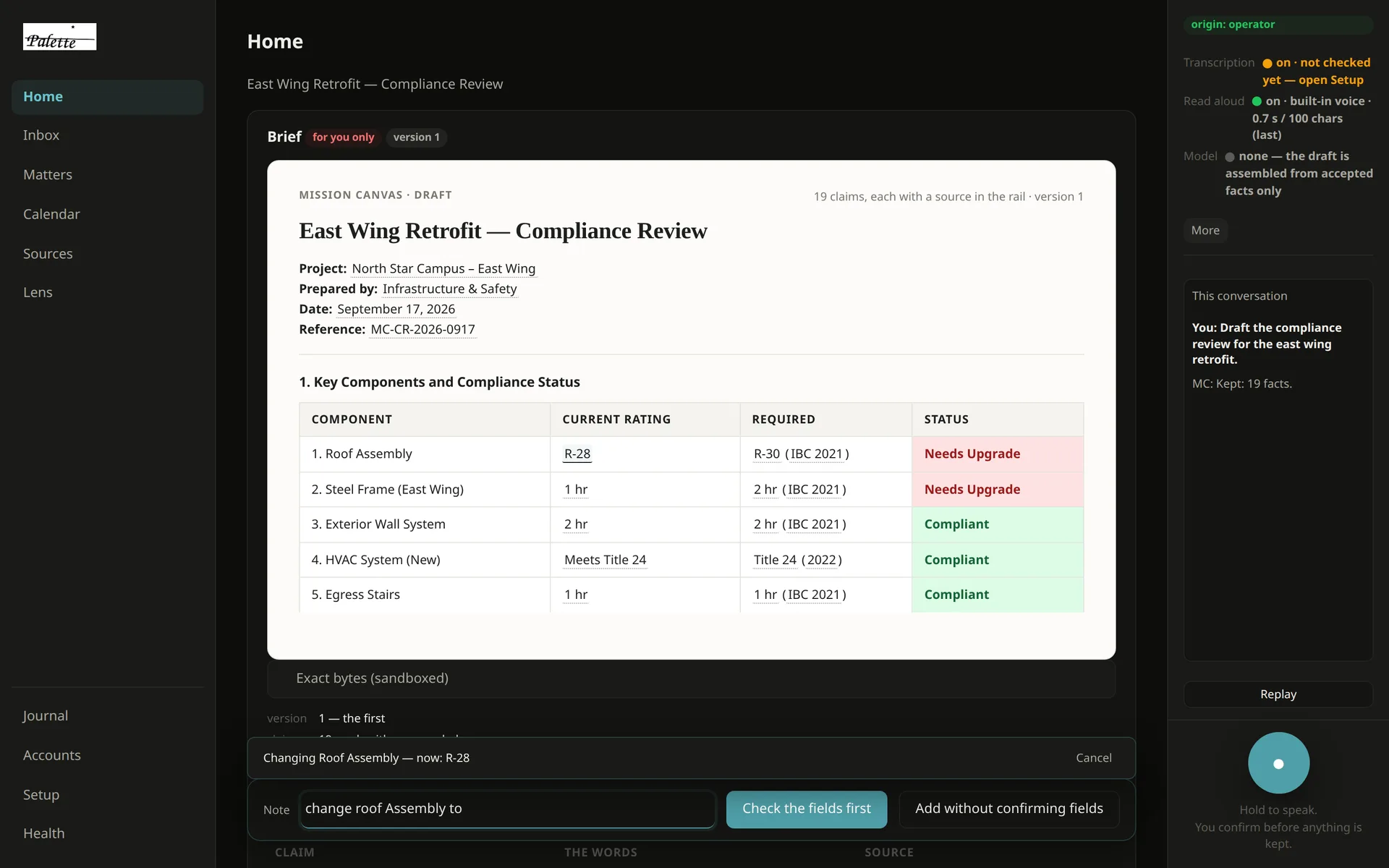
One take on the sample notes: a spoken request finds nineteen facts and the document appears; a spoken change and a clicked one each become a new version; then it reads the document aloud in a voice that runs on the machine.
Recorded 21 September 2026 on a build of 0.3.8 with the two changes that shipped in 0.3.9: the note bar sits at the bottom, and spoken requests apply without a confirm card. Download the recording, 5 MB
Most AI apps tell you what they will do for you. This one is easier to describe by what it will not do without you.
- 01
It never goes looking.
It works on the folders you hand it, one at a time. It does not search the rest of the computer on its own.
- 02
It reads nothing until you say so.
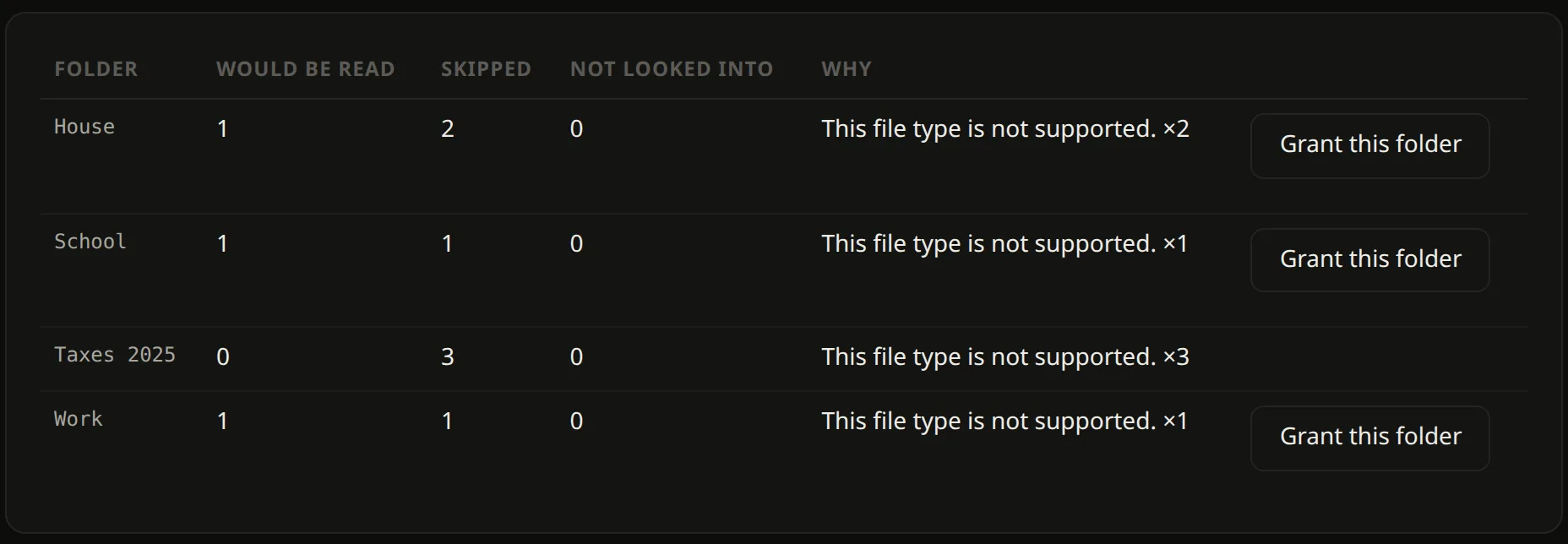
Listing a folder opens no file. Reading starts when you press Grant, and every file it read is listed afterwards.
- 03
Nothing in the document is made up.
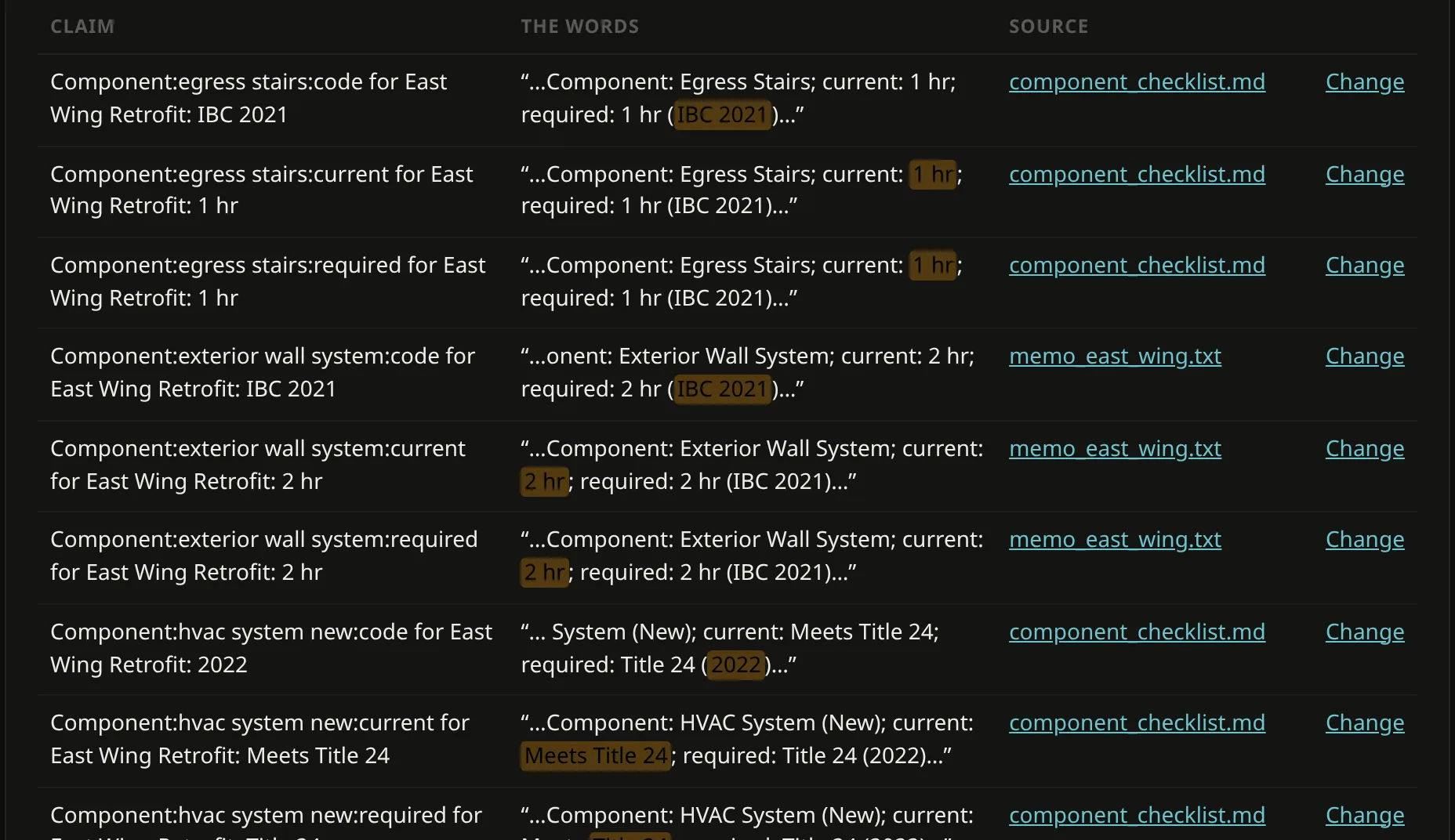
Today the document is the facts you accepted, in a fixed layout. If a fact is not in your notes, it is not in the document. Written summaries come next, held to the same rule: every sentence leads back to a source.
- 04
Nothing it keeps is hidden.
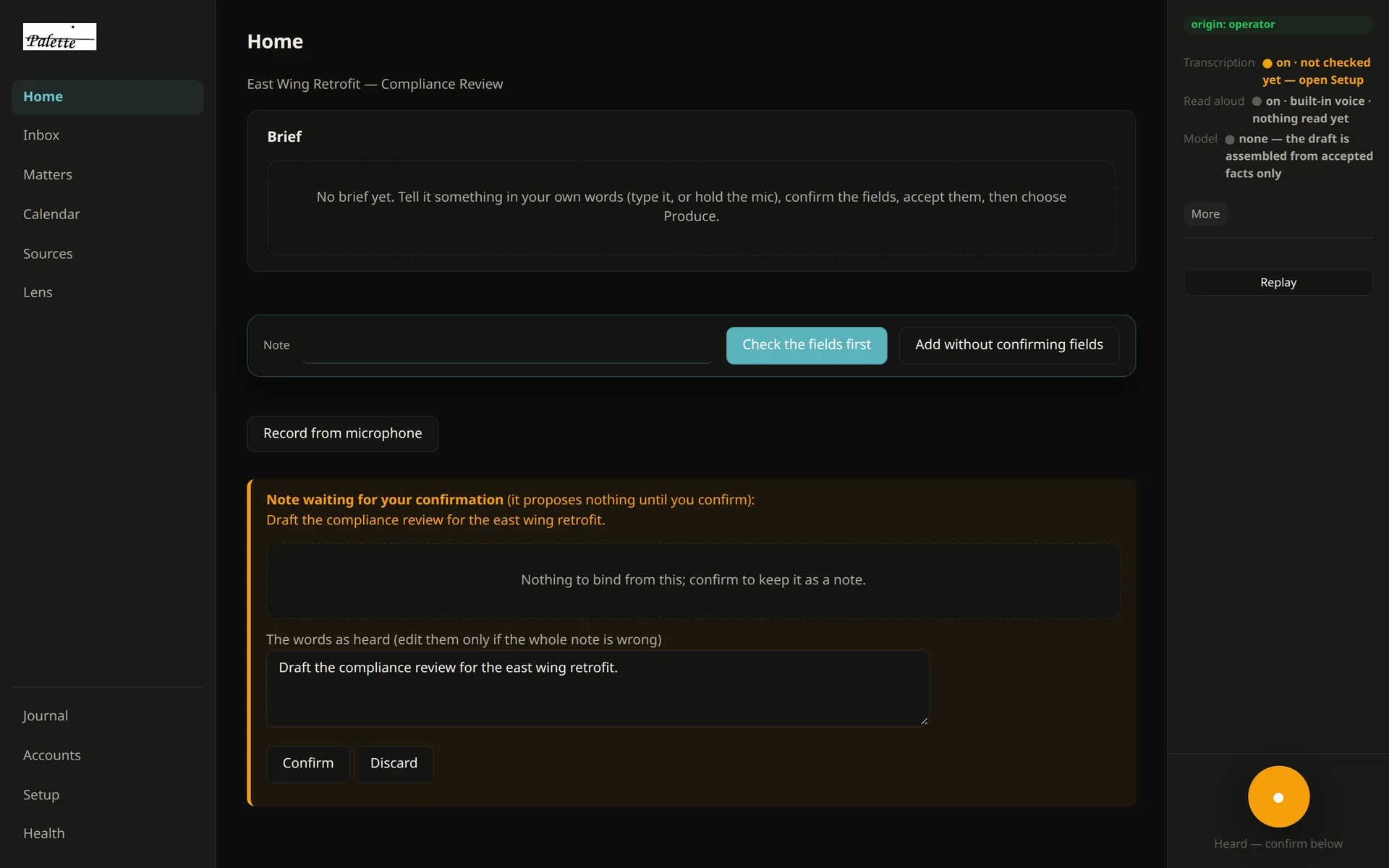
On Home, what you asked for is kept and listed on screen in the same turn, and every version of the document is kept. In a matter, your words wait on a card until you keep them.
- 05
It does not need a model to work.
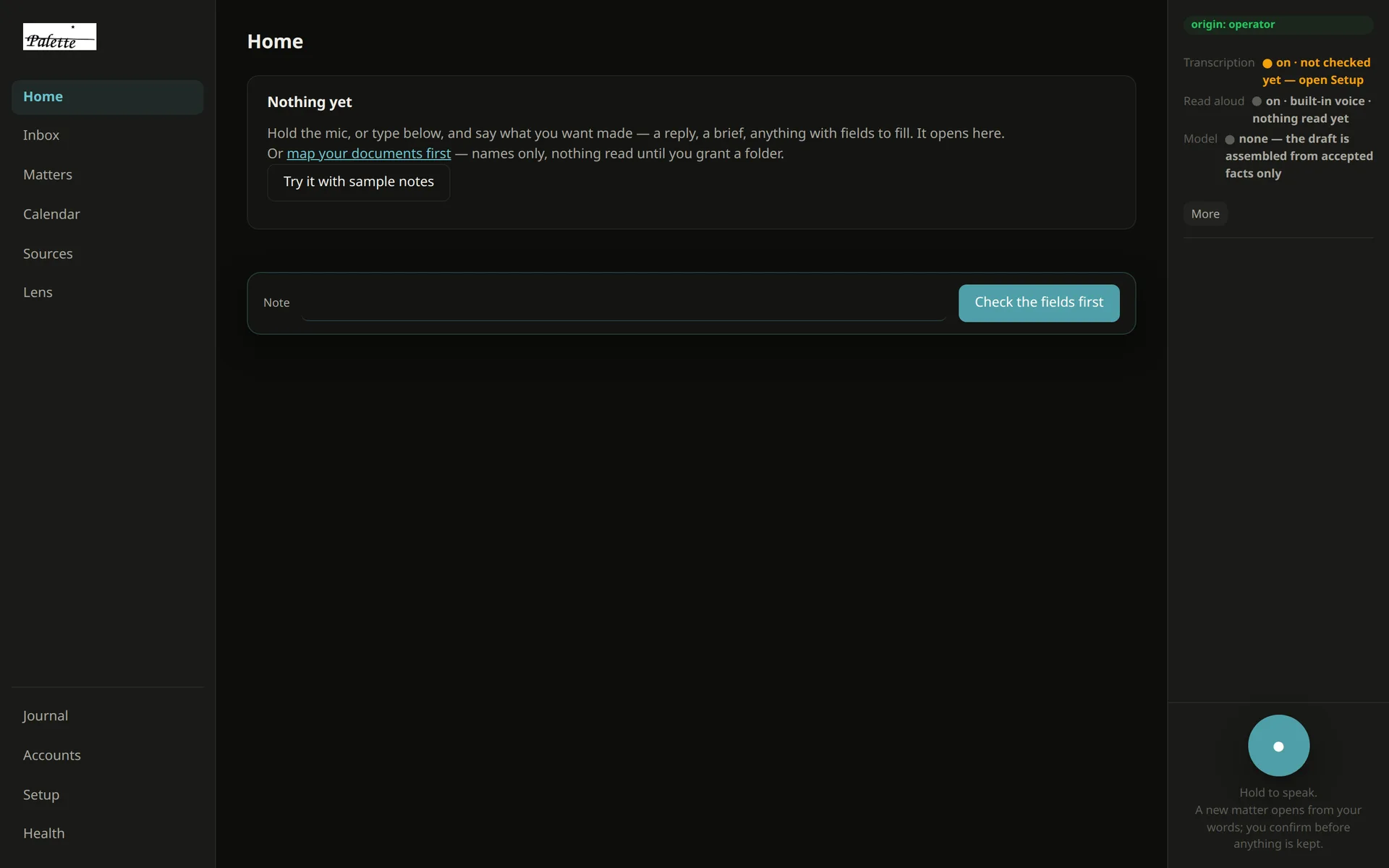
The sample runs with no AI model installed and no key. The app says so on screen.
- 06
It keeps a list of what it connects to.
The app keeps a list of the connections it has made. On a fresh install, after the whole sample, that list reads “none yet”.
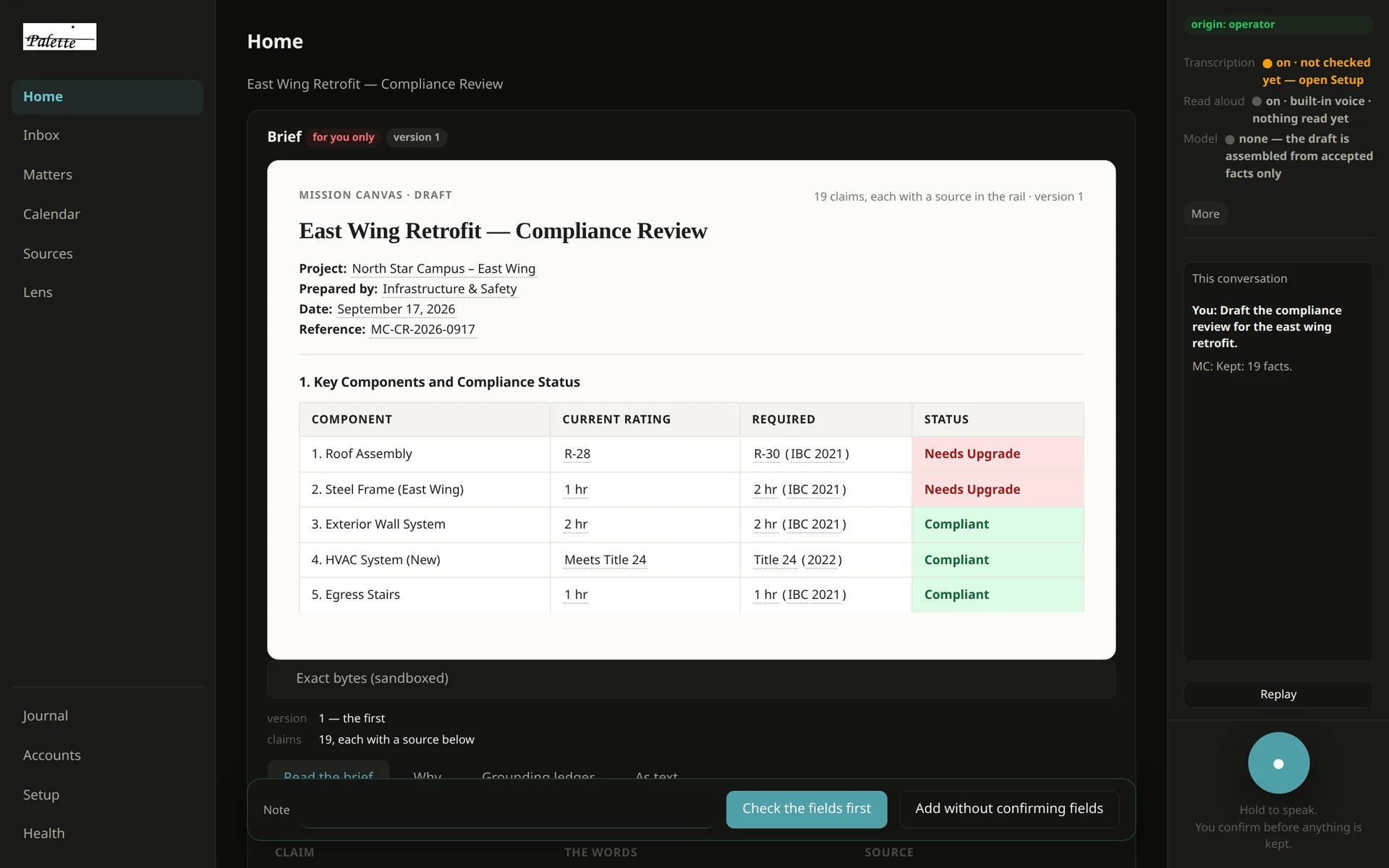
What you will see, in the order you will see it.
These are the app’s own screens, taken from version 0.3.7 running the sample notes. Since then the note bar has moved to the bottom, and requests on Home no longer wait on a card. The steps are the same, and they run on your own folder.
Good for
- A review, brief or summary sheet assembled from scattered notes
- Finding out where a number in a document came from
- Seeing what is in a folder before anything is allowed to read it
- Work where a wrong sentence is expensive
Not for
- Searching the web
- Your inbox or your calendar
- Booking, buying or doing errands
- Free writing: emails, essays, posts
Today
It reads plain text: .txt, .md, .csv, .json and
.ics. PDFs and Office files are listed and skipped, and it tells you so. It is an early
build, and it is honest about where it stops.
- Mac
Open
Download for Mac, 112 MBMissionCanvas.dmgand drag the app into Applications. It is signed and notarised. If macOS still says it cannot be verified, right-click the app and choose Open. - Windows
Run
Download for Windows, 94 MBMissionCanvas-Setup.exe. The installer is not yet code-signed, so SmartScreen shows “Windows protected your PC”. Click More info, then Run anyway. If you would rather check the file first, its SHA-256 is below. - Linux
Open
Download for Linux, 81 MBMissionCanvas.debwith your software installer, or runsudo apt install ~/Downloads/MissionCanvas.deb.
The files are still named MissionCanvas. They are Palette.
SHA-256Check the file you downloaded
- MissionCanvas.dmg
8b53c41c9e3c0dd7de5e8d2f22ca2778d78ae38312aadb52fcbb2faf33985d65- MissionCanvas-Setup.exe
87cf67dd9bf8d43ed14e769e37a0023cbd4d8a369da3e82779ee96b046b105c5- MissionCanvas.deb
4710e728380162469407b12317bf08f23d4821054159b9fecfcec7574f81365e
Mac and Linux: shasum -a 256 <file>. Windows: certutil -hashfile <file> SHA256.
These are the digests GitHub publishes for release desktop-v0.3.10-north-star.20260923; this page reads them when it is built.
Price
Free. No account, no card, no trial clock.
Who makes it
Palette is the app. Mission Canvas is the company.
Mission Canvas builds a business its own application, shaped to the way it works, and hands it over to keep. That is a different thing from Palette, and it starts with a conversation.