For managed IT and security providers
What can you offer clients who ask for private AI?
Turn a client’s AI request into a service you can scope. You lead the conversation. We help build the workflow.
Mission Canvas helps IT providers run one recurring job on the client’s machines. Agree which files it uses and who checks the result.
Illustrative workflow
Take one client request to a scope they can review.
Today
An accounting client asks for AI at month-end. Their provider still needs to know which check matters, which files it uses and who signs off.
What you could build
The provider can propose a first job: compare two sample ledger exports, point to the difference and have the client’s reviewer check the source rows.
See how an answer links to its source.
In Palette, select a claim to see the sentence and file it came from. The screenshot uses sample notes.
Watch the Palette walkthrough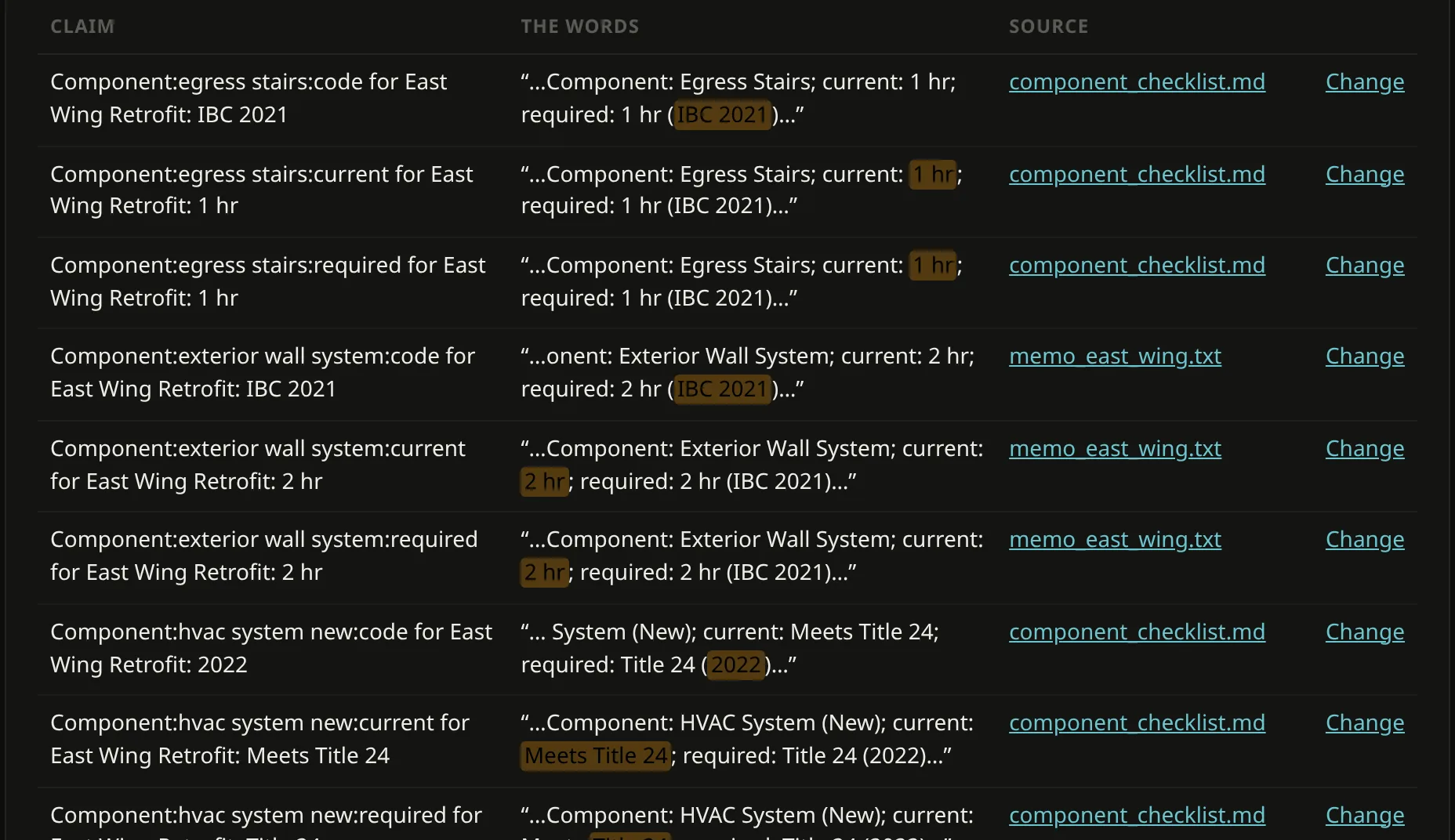
Which job would you start with?
Choose a job to see what you can test with sample files.
Accounting: compare ledger exports
Start with two sample CSVs and one discrepancy the client already knows. Agree who checks the result.
Legal: find a clause in a sample file
Use a fictional text file. Ask for the original sentence a reviewer would check and agree what stays on the workstation.
Construction: review a change order
Use a sample change order and job-cost export. Agree which fields to compare and who confirms the result.
A check you can try
At a client walkthrough, use a fictional service ticket. Ask the reviewer to point to the file behind one answer and identify who could approve an outside connection.
This suits a provider whose client can name a recurring job and a person responsible for its output. A request to turn on AI across every department needs a narrower first job.
What stays on your computer, and what can leave?
On a client’s workstation, ask the client to choose a sample folder for the demonstration. Palette lists the files without opening them. You give permission before it reads the files you choose. Follow a line in its generated document to the source sentence. See the folder walkthrough.
An outside service receives only what the agreed task needs, with permission.
Set it up yourself or have it built around your job?
If you like setting up tools yourself, try Palette, the free desktop app for Mac, Windows and Linux. It reads .txt, .md, .csv, .json and .ics files. It skips PDFs and Office files.
For a fitted tool, Mission Canvas starts with an audit, a review of one job and the files and people it depends on. We design around that job, build the application for your machines and hand it over. You own what we build.
Questions from IT providers
What should an AI readiness assessment include?
Map one job from its first file to its last approval. Identify the machine, the person reviewing the result and any connection that would take data outside the client’s control.
How can a security-focused provider offer AI that keeps client work on their machines?
Start with supported local files and a local model. Agree the allowed connections with the client before designing the workflow.
What can we offer a small-business client asking about AI?
Offer to walk through a single job together. A scoped review gives the client a written account of the work before they decide whether to commission a build.
What are your clients asking AI to do?
Bring one recurring task. We’ll talk through the files it uses, where it can run and who checks the result.
Book a 15-minute partner call