Private AI for small firms
Can AI check client files without uploads?
A month-end figure looks off. Trace it to the ledger rows on your firm’s own computers.
Mission Canvas builds tools that read the files you choose on your own computers. Test a check with sample files first.
Illustrative workflow
Follow one number back to the ledger.
Today
A total looks wrong. A reviewer opens several exports to find the entries behind it.
What you could build
A workflow built for that check points to the rows behind the difference so the reviewer can decide what needs a second look.
See how an answer links to its source.
In Palette, select a claim to see the sentence and file it came from. The screenshot uses sample notes.
Watch the Palette walkthrough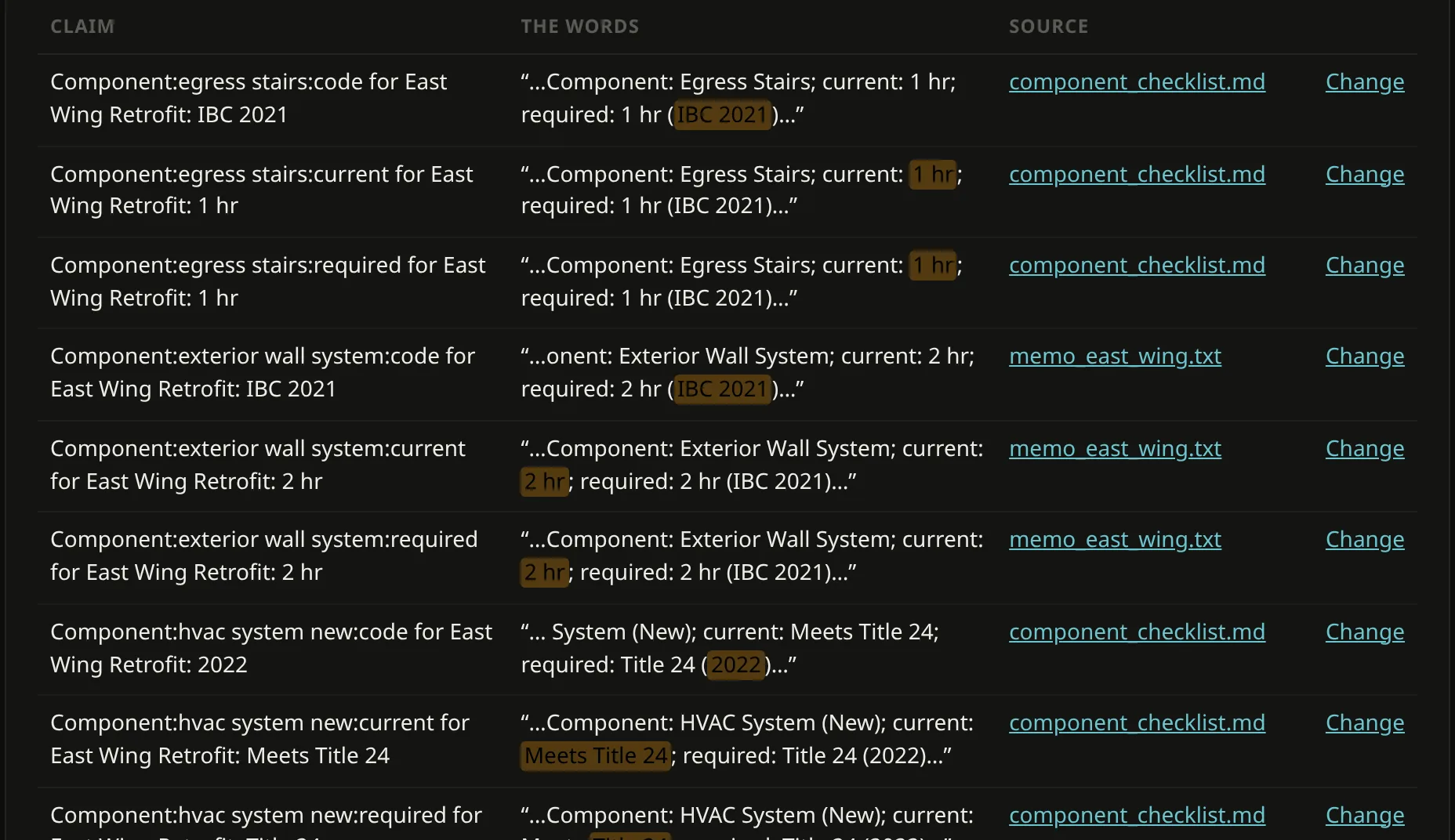
Which job would you start with?
Choose a job to see what you can test with sample files.
Compare two ledger exports
Start with two fictional CSV exports. Choose one discrepancy you can reproduce and decide what the reviewer needs to see beside it.
Trace a figure to its source
Pick a figure you already know. Ask the tool to point to the original row and check whether a colleague can verify it independently.
Work within a no-upload policy
Pick a sample folder and a local model. Confirm which files the tool can read and check whether the job needs any outside connection.
A check you can try
Put a made-up job cost in a short text file. Ask where that cost came from and follow the answer back to the file. Would a colleague be able to check the figure without asking you?
A local workflow suits a team that needs to check an answer against its own records. If the job begins with scanned forms, the free app skips those files.
What stays on your computer, and what can leave?
For a client file, begin with a folder containing one fictional record. Palette lists the files without opening them. You give permission before it reads the files you choose. Follow a line in its generated document to the source sentence. See the folder walkthrough.
An outside service receives only what the agreed task needs, with permission.
Set it up yourself or have it built around your job?
If you like setting up tools yourself, try Palette, the free desktop app for Mac, Windows and Linux. It reads .txt, .md, .csv, .json and .ics files. It skips PDFs and Office files.
For a fitted tool, Mission Canvas starts with an audit, a review of one job and the files and people it depends on. We design around that job, build the application for your machines and hand it over. You own what we build.
Questions from small firms
Can a law firm use AI on client documents without risking privilege?
Local processing lets a firm choose where a document is read. Privilege and confidentiality require a separate legal assessment. ABA Formal Opinion 512 discusses professional duties when lawyers use generative AI.
What can a small accounting firm use on client files without uploading them?
Try a sample ledger exported as CSV. Check a figure in the answer against its source row before using it in your work.
Can AI read our job-cost spreadsheets locally?
Export a sample sheet to CSV and keep the original for comparison. Palette skips the Office workbook itself.
Can an insurance broker use AI on client financial documents?
Start with a fictional client record in a supported format. Agree which fields a reviewer needs to see and what can be shared before trying real financial records.
How can a construction consultant review change orders without exposing contract pricing?
Choose a sample change order in plain text and keep the job on a local model. Check each quoted price against the source before a person approves any sharing.
Which check takes longest at month-end?
Bring one recurring task. We’ll talk through the files it uses, where it can run and who checks the result.
Book a 15-minute workflow call